case study
Zornicare
Designed Zornicare, a childcare platform from a startup selling it to centres: staff log each child's day once on the web app, and parents see it on their phone. Around that sit centre setup, programs and enrolment, child profiles, attendance and billing.
- Client
- Zornicare (startup)
- Timeline
- Under a month, 2025
- Platform
- Web + parent mobile app
- Role
- Product Design
Background
A childcare centre runs on a lot of small records: who applied, who turned up, who has an allergy, what each child ate, how long they napped, and which invoices are still unpaid. Centres were keeping all of this in spreadsheets, WhatsApp groups and a mix of other tools. Parents want to know how their child's day went, and staff need to record it without slowing down.
Zornicare, a startup, wanted one product it could sell to many centres as a monthly subscription: a web app for staff and a mobile app for parents. Staff log things once, and parents see the result on their phone.

Parents see the day
What needed to change
- Turn the daily report staff fill in into a clear picture of the day for parents.
- Keep everything about a child, including allergies and medication, on one profile.
- Let staff run programs, enrolment, attendance and billing from one admin.
- Get a new centre set up and its team invited in a few steps.
Key decisions
Most of the requirements, including the daily report fields, came from the client. I explored two design directions with them before settling on this one. Five calls shaped it.
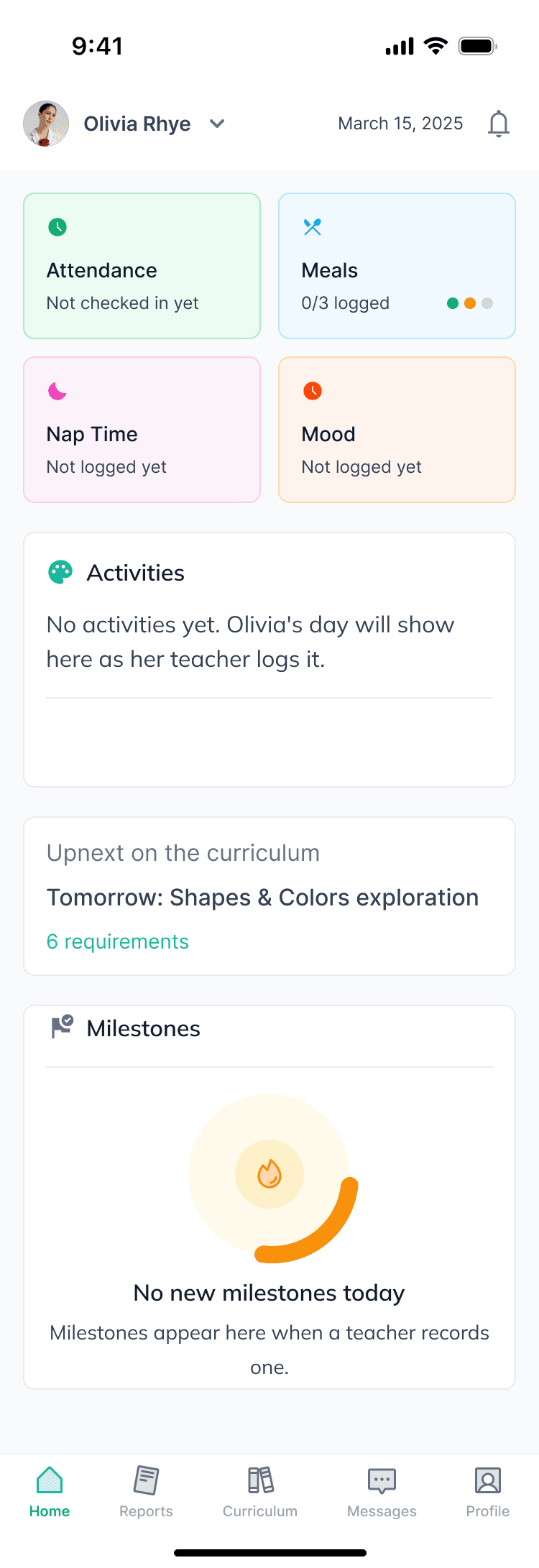
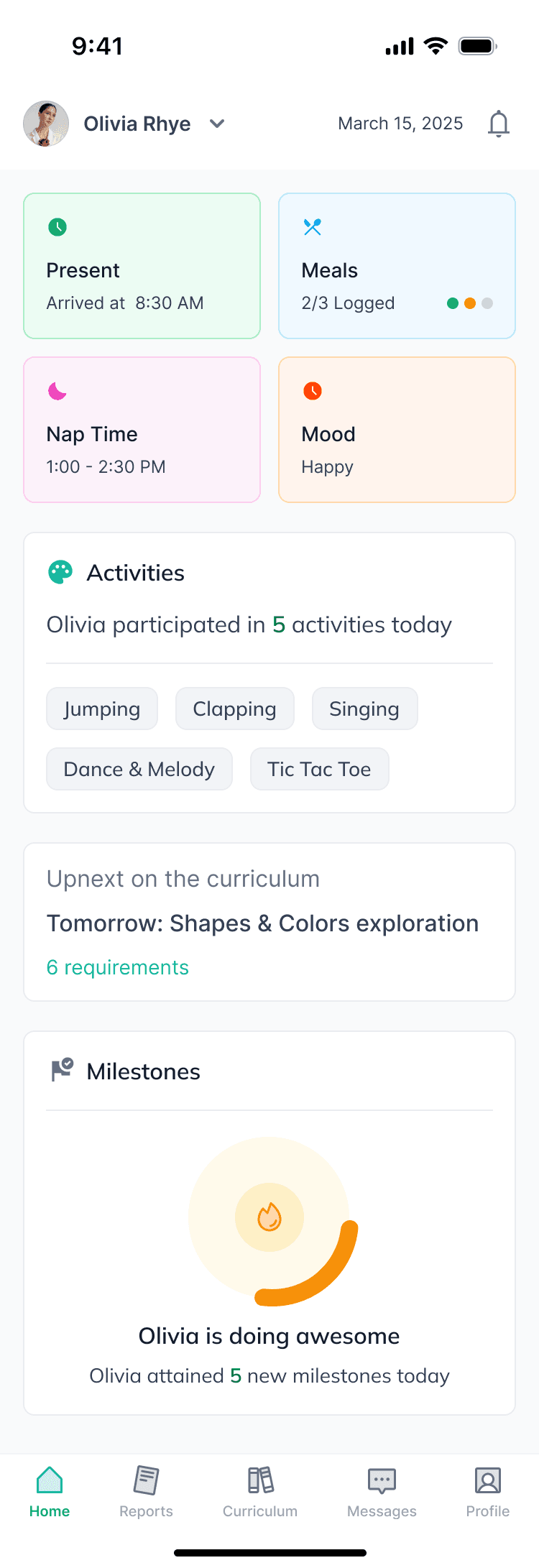
Staff log once, parents see the day. Staff fill in one daily report per child: mood, meals, nap and sleep quality, bathroom log, activities and a note. The parent app turns that into a home screen with attendance, meals, nap and mood, a written summary of the day, the curriculum with teacher notes and tips for home, and new milestones. We considered showing parents the same form staff fill in, but parents want to know how the day went, not read a form.
Build the enrolment form with the program. Creating a program walks through basic info, classes and their teachers, teacher assignment, and the enrolment form itself. Each question can be short answer or multiple choice and marked compulsory, with a live preview underneath, so each program asks parents only what it needs. We considered one form for the whole centre, but infant care, preschool and after-school each need different answers from parents.
Show applications as decisions. Enrolment opens with totals for applications, accepted, waitlisted and rejected. Each row can be accepted or declined in place, and selected rows can be accepted in bulk.
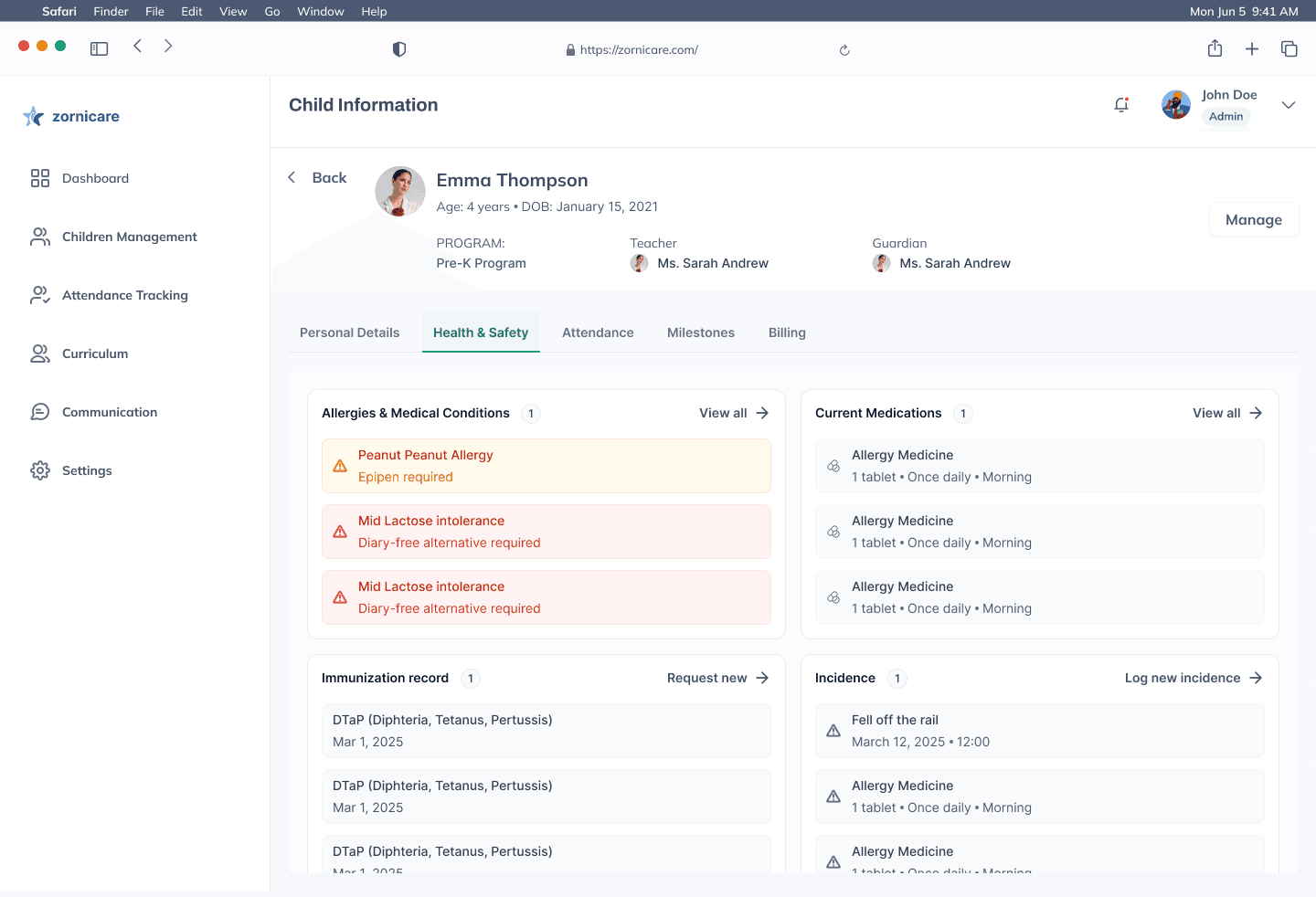
Make allergies impossible to miss. Health and Safety is one of the most important pages, so it has its own tab on every child's profile, where staff can find it straight away. Allergies are flagged in colour with the action to take, such as "Epipen required", next to current medication, immunisation records and incidents. We considered allergy alerts on every screen instead, but kept one dedicated place staff can rely on.
Design for the untidy days too. Parents see a clear home screen before today's report is in, a daily report will not submit with the nap time missing and says exactly what to add, and enrolment explains what to do before the first application arrives.
Set up a centre in four steps: account details, a centre profile with name, address and contact number, and team invites with a role for each person.
Scope of work
- Sign-up and centre setup: account, centre profile and team invites with roles
- Programs and classes, teacher assignment and a custom enrolment form builder
- Enrolment management with accept, waitlist, reject and bulk accept
- Child profiles: personal details, health and safety, attendance, milestones and billing
- Attendance tracking and the daily report entry
- Billing and invoices, sold to centres as a monthly subscription
- Empty and error states: parent home before the report, a blocked daily report, enrolment before the first application
- Parent mobile app: home, daily report, curriculum and milestones
The product
Flows from the product, played screen by screen. Hover to pause, or tap a bar to jump to a step.
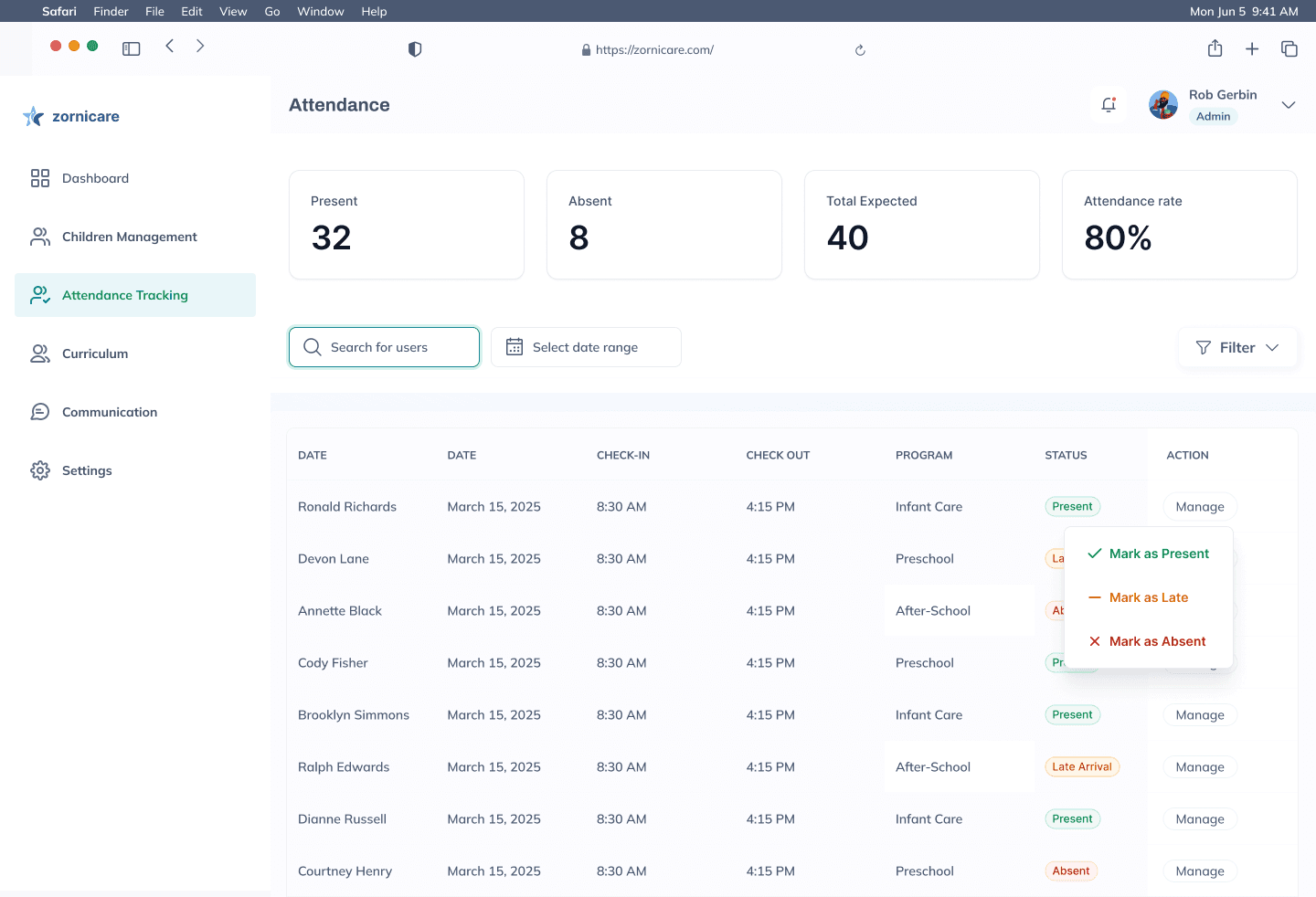
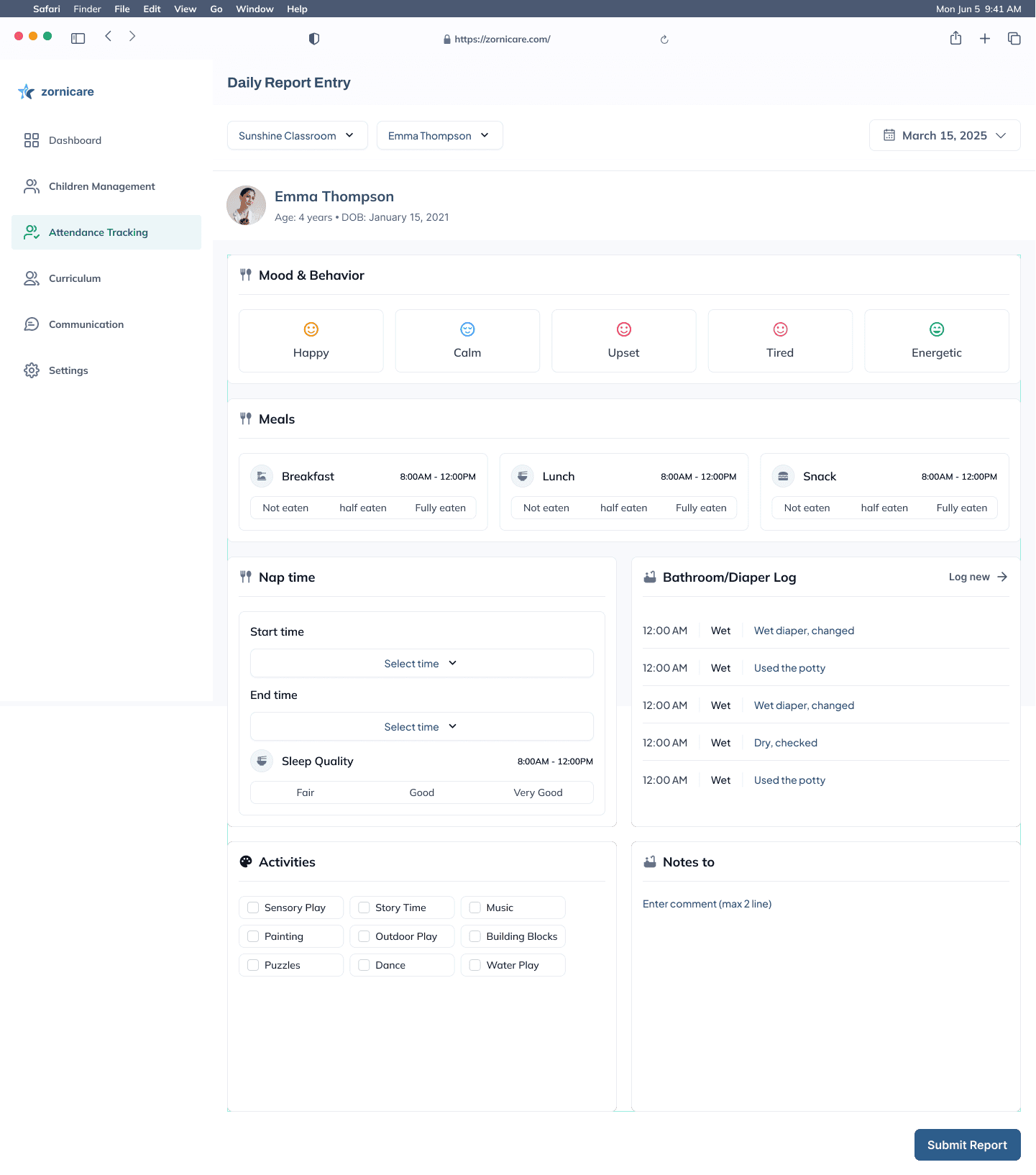
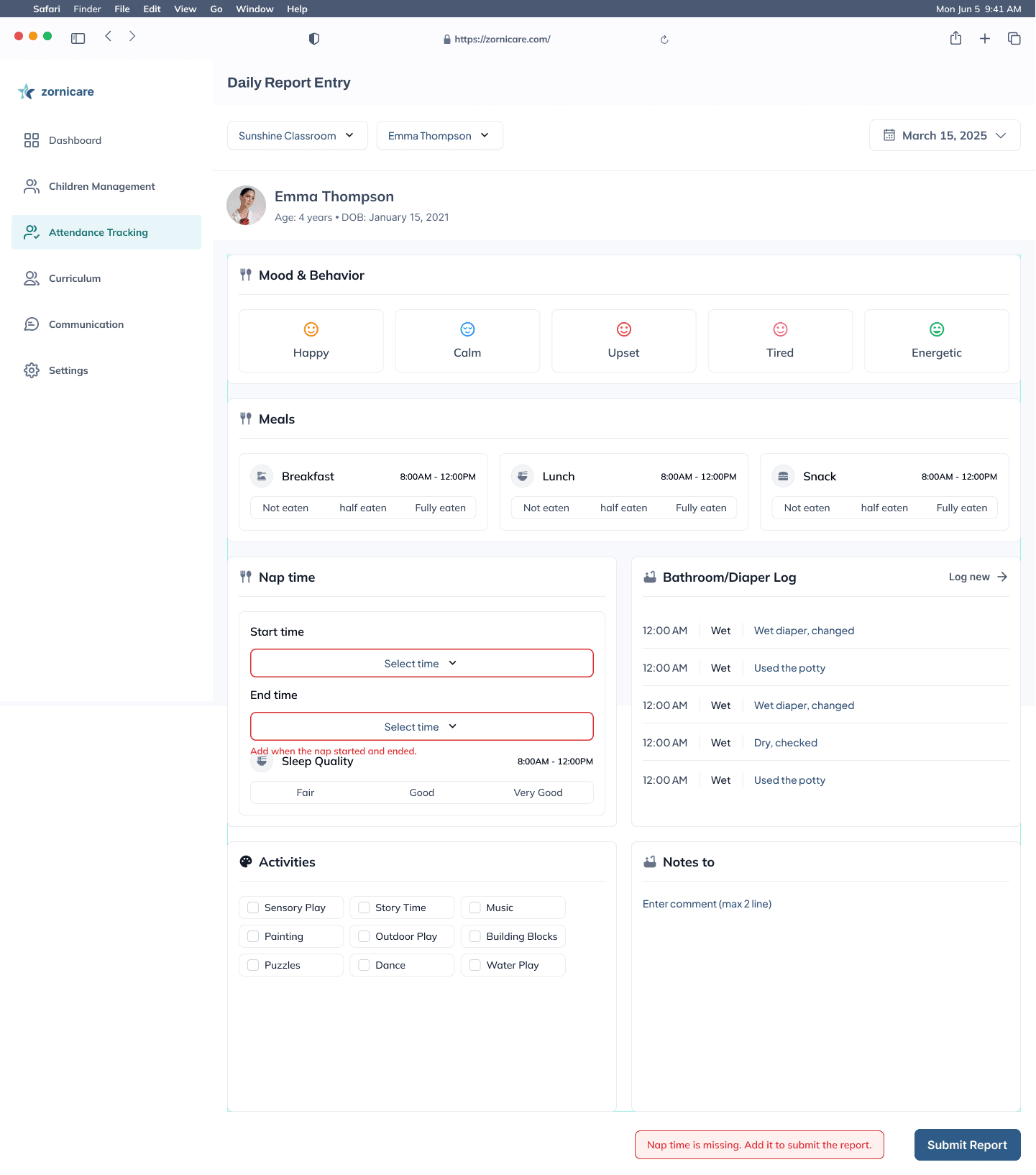
Staff log the day · 1/3 Mark attendance. Next: Child name (Ronald Richards) row
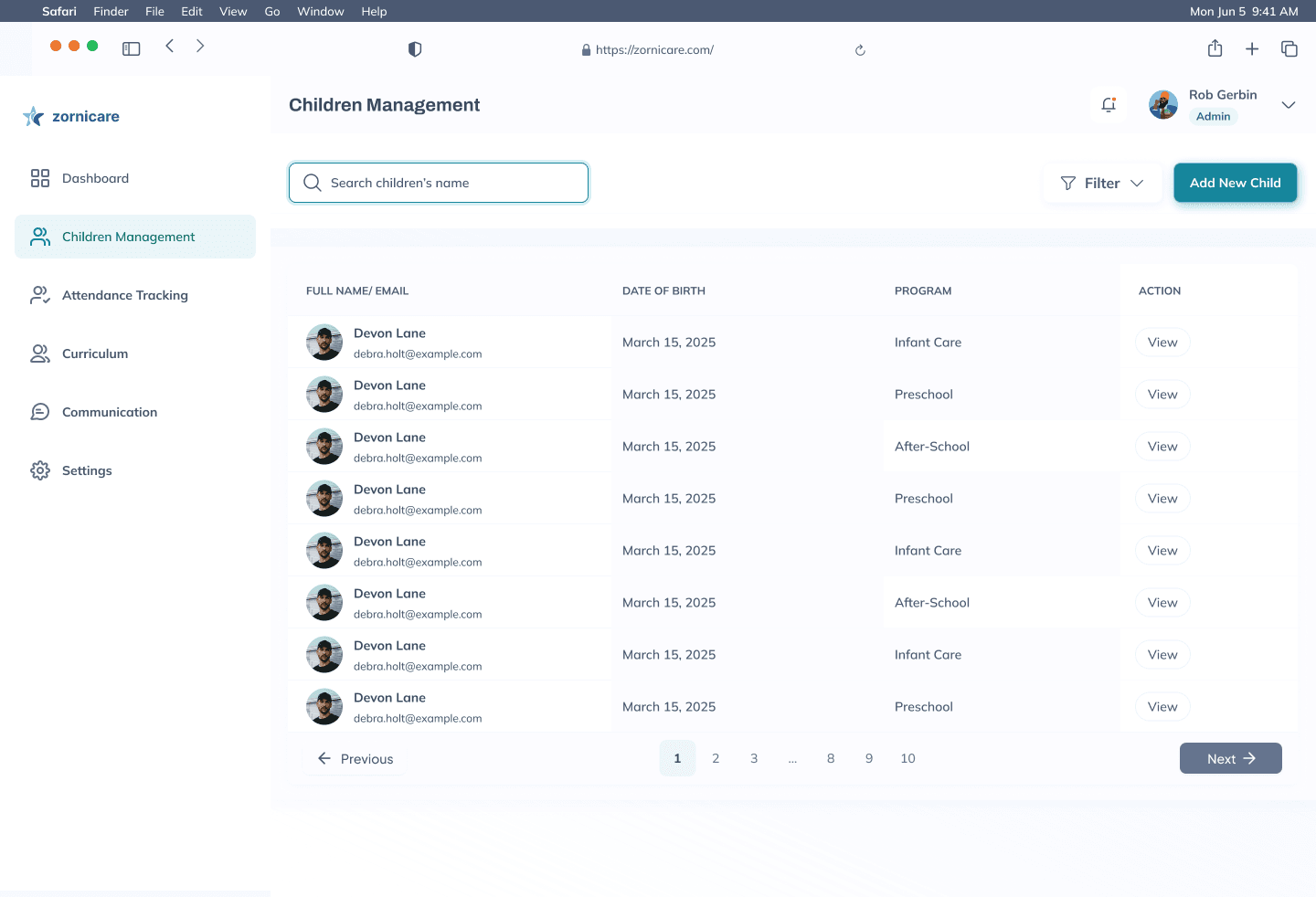
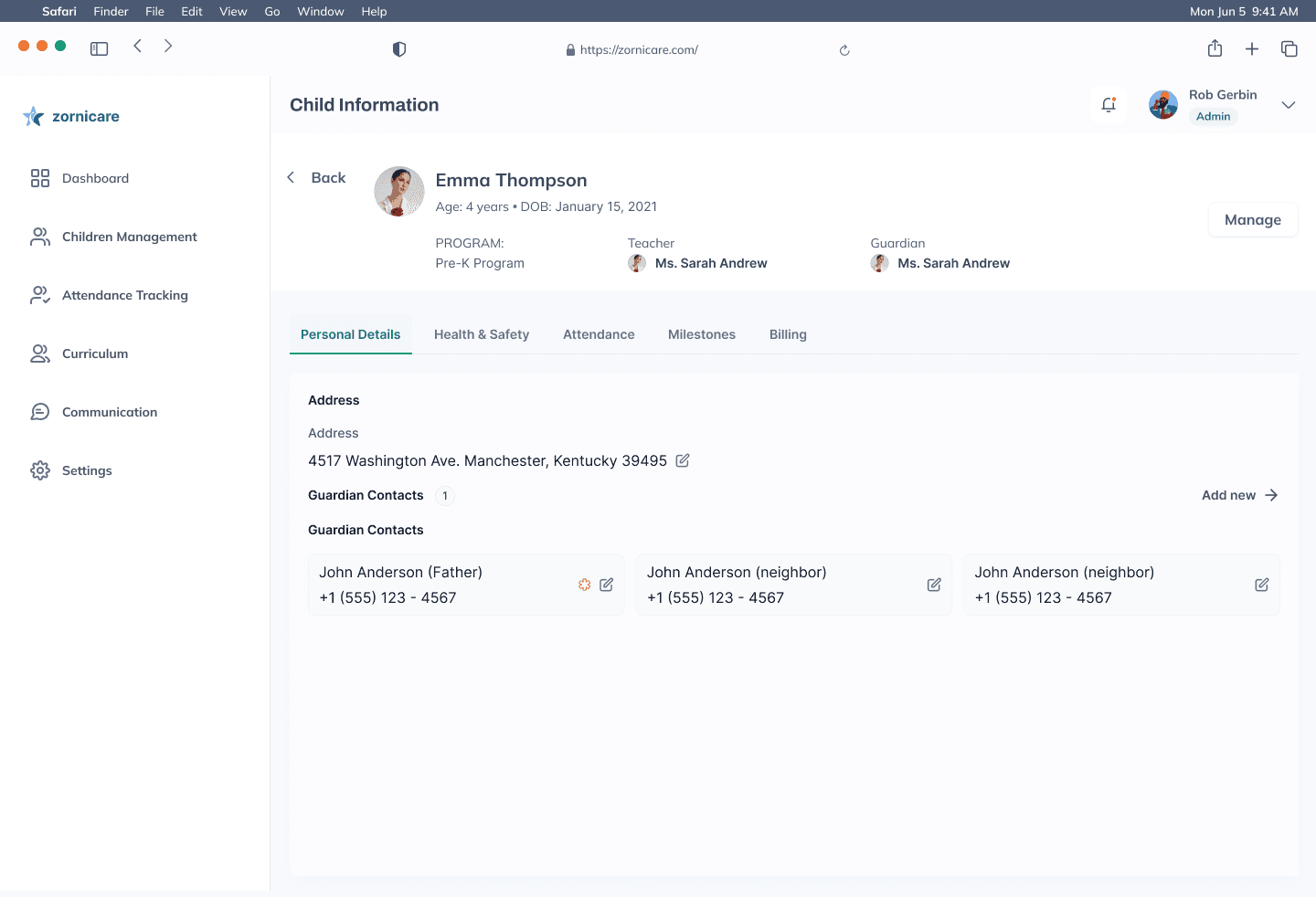
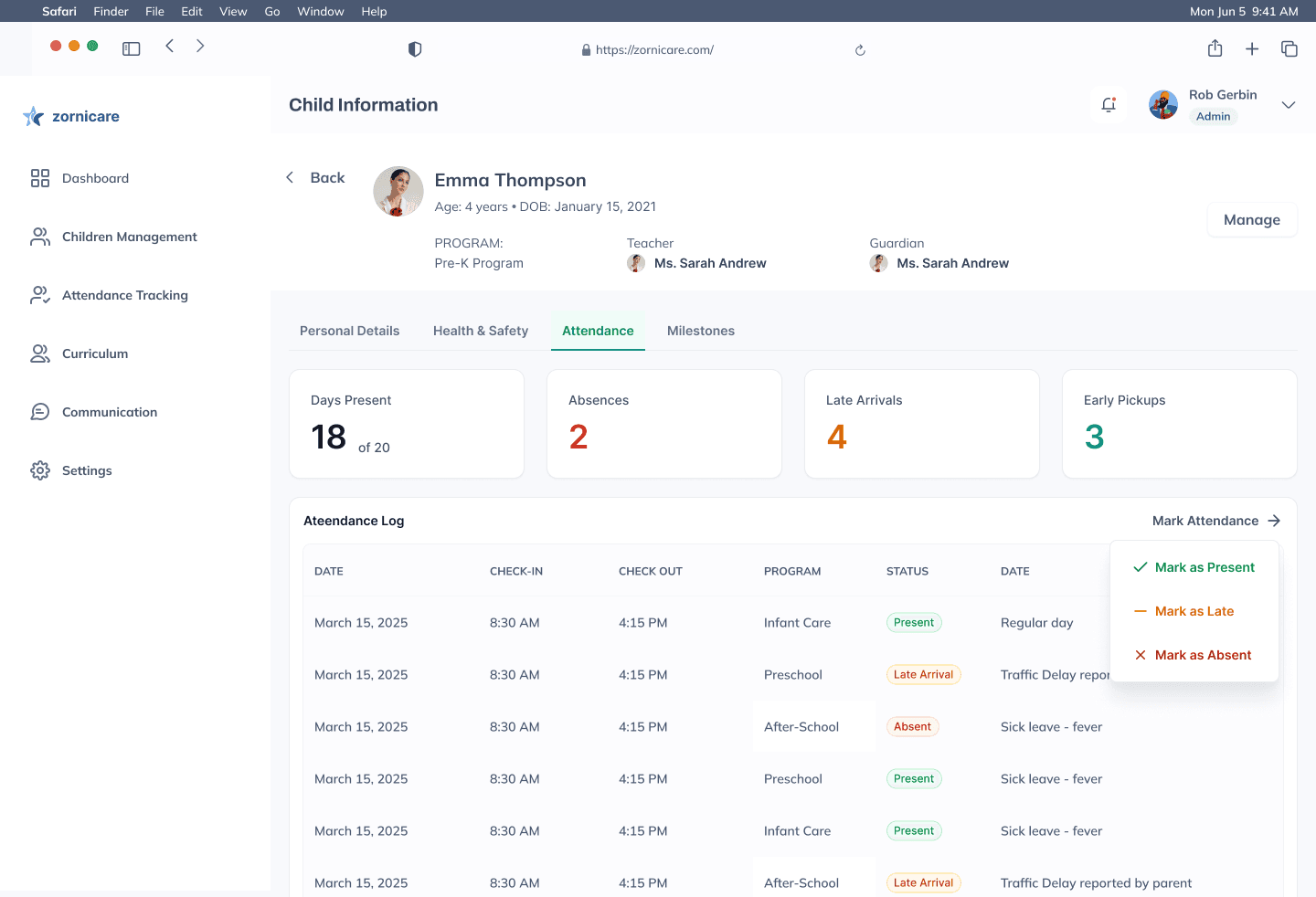
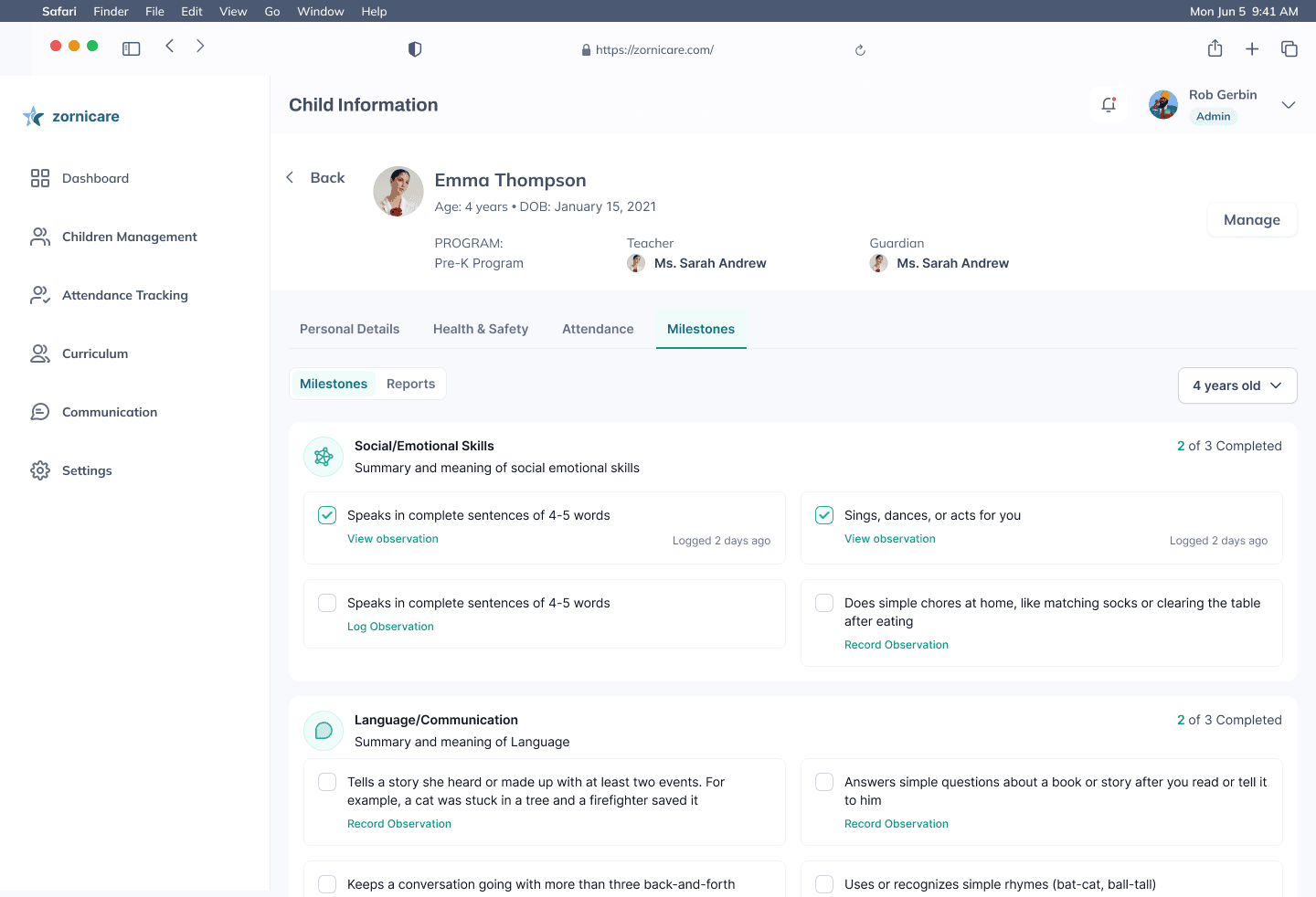
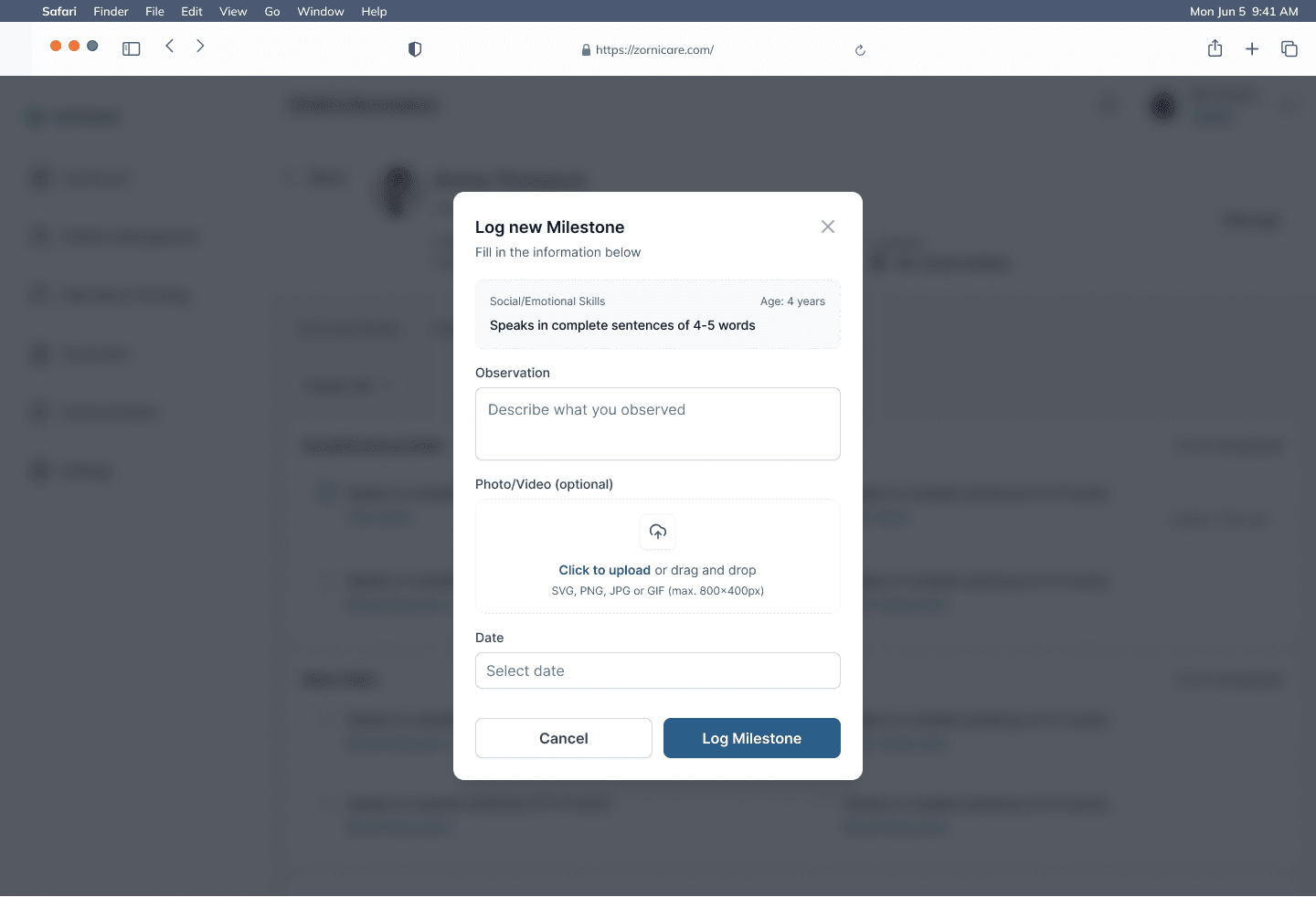
Everything about a child in one place · 1/6 Children. Next: View button (first row)
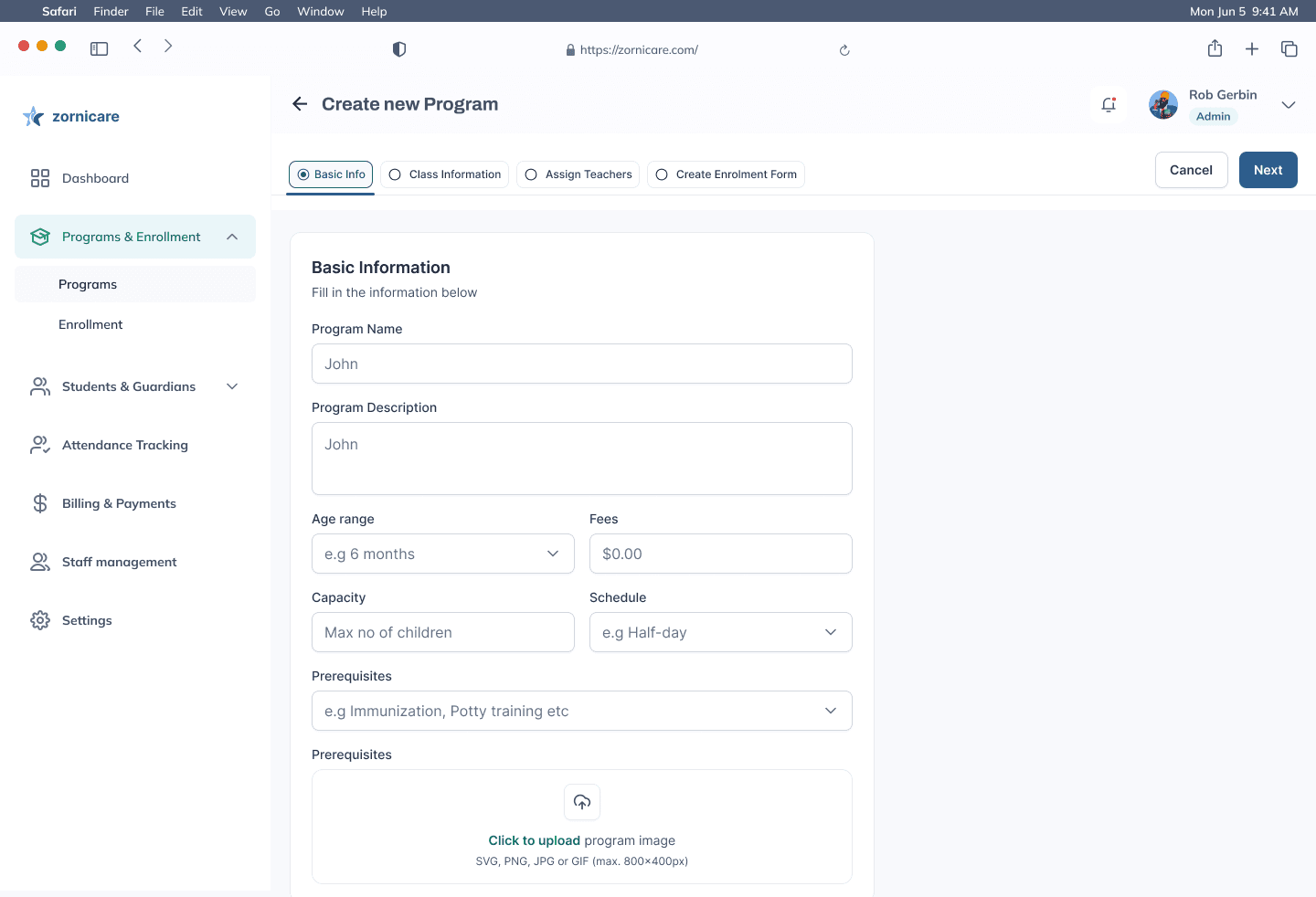
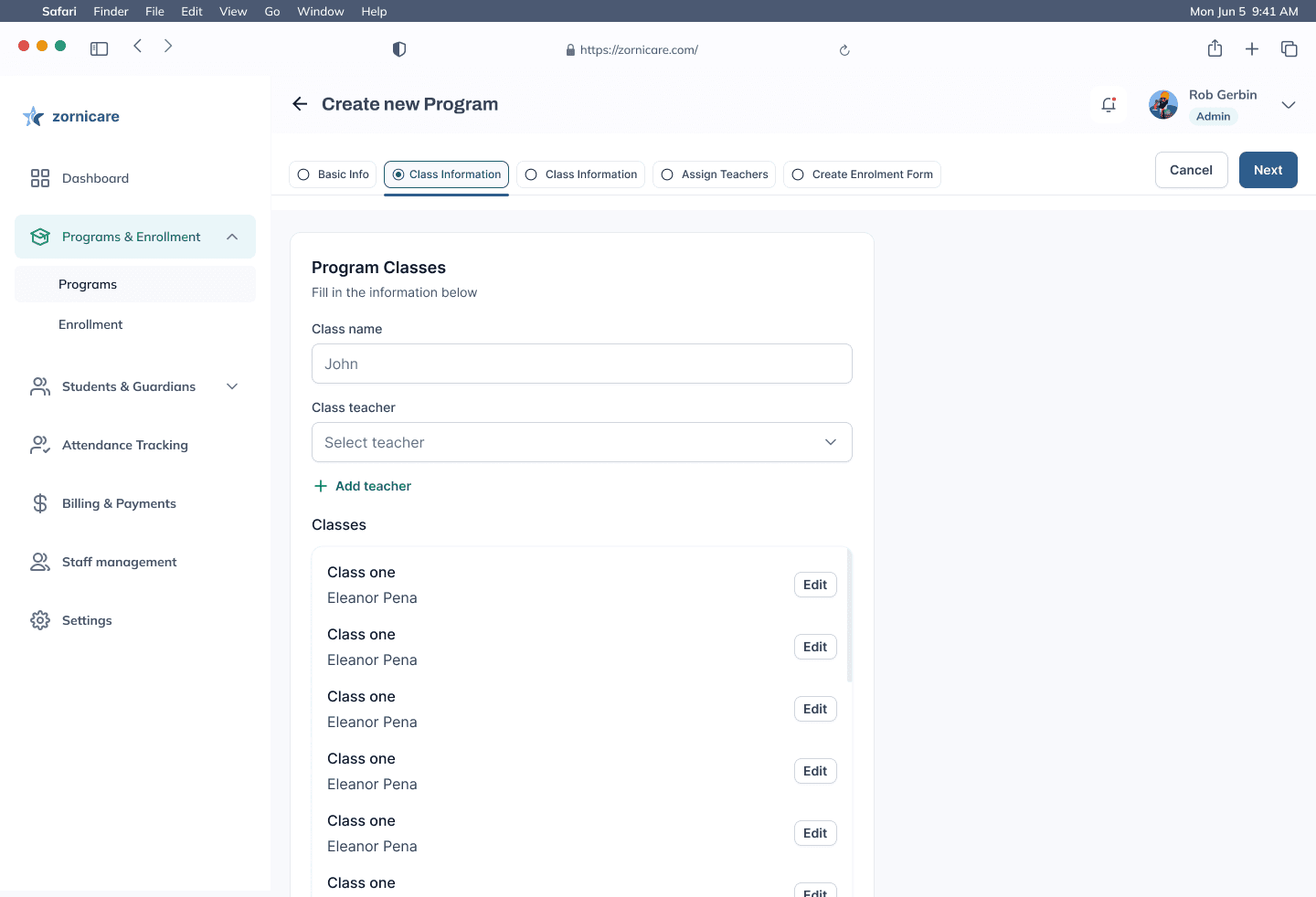
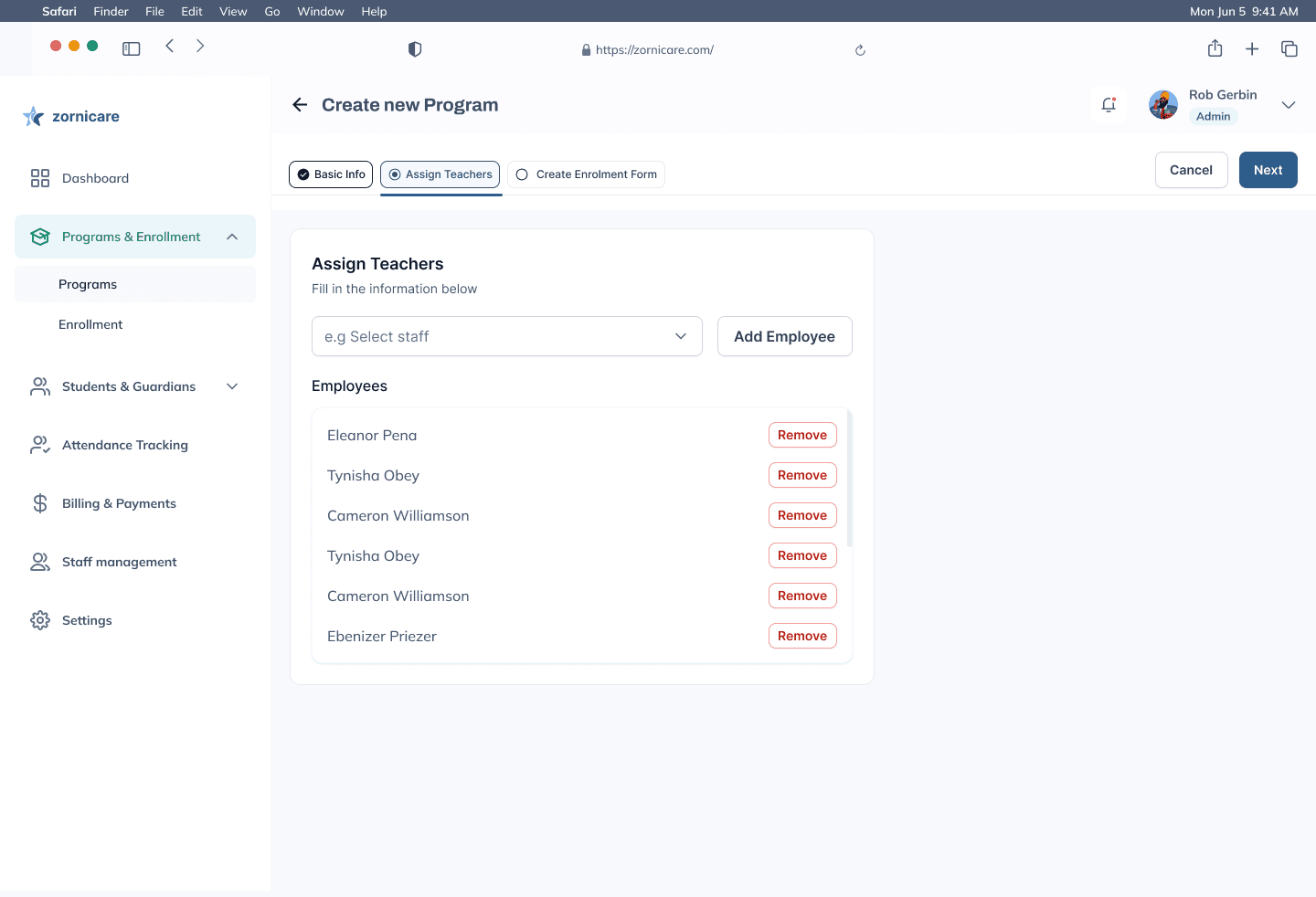
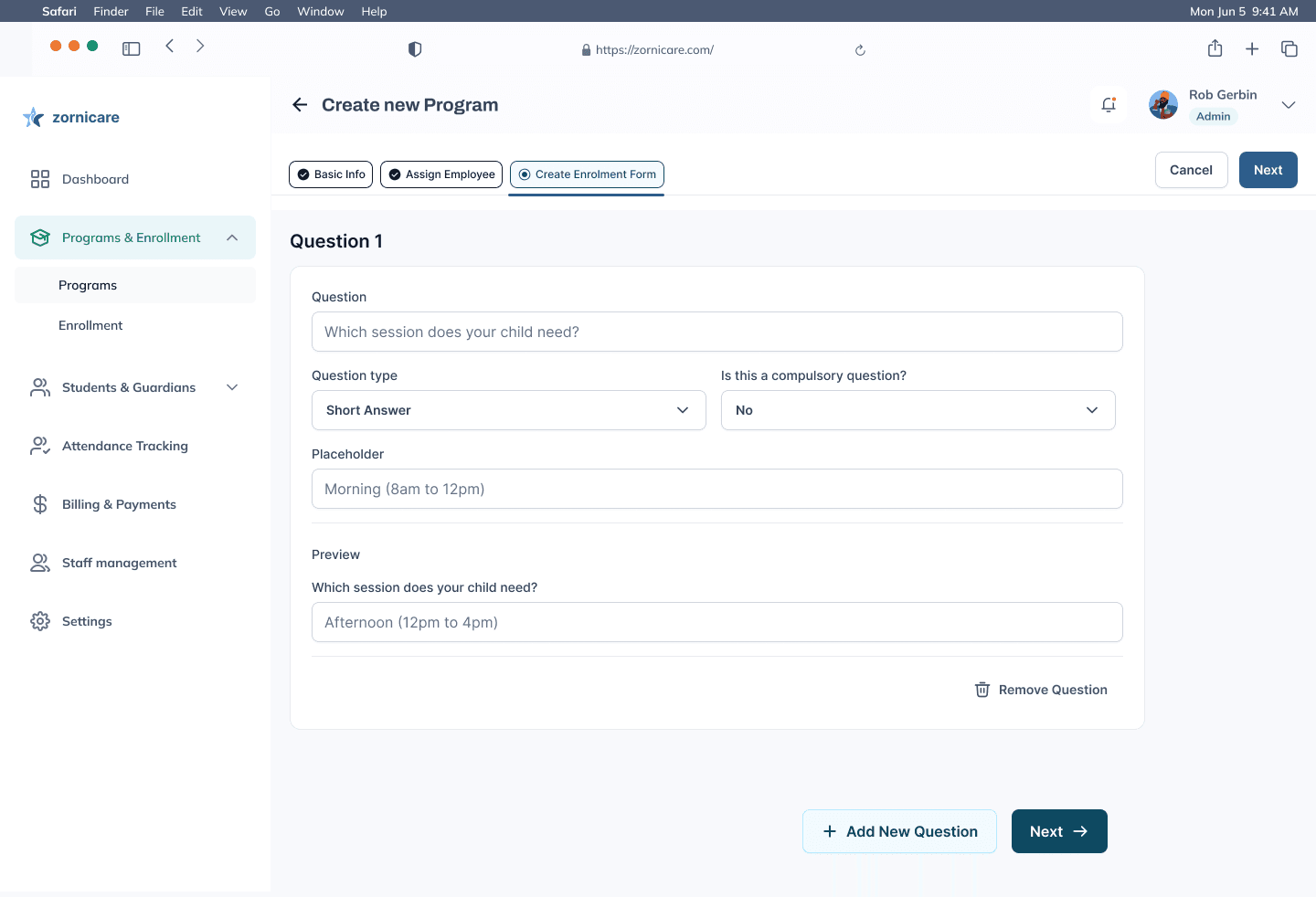
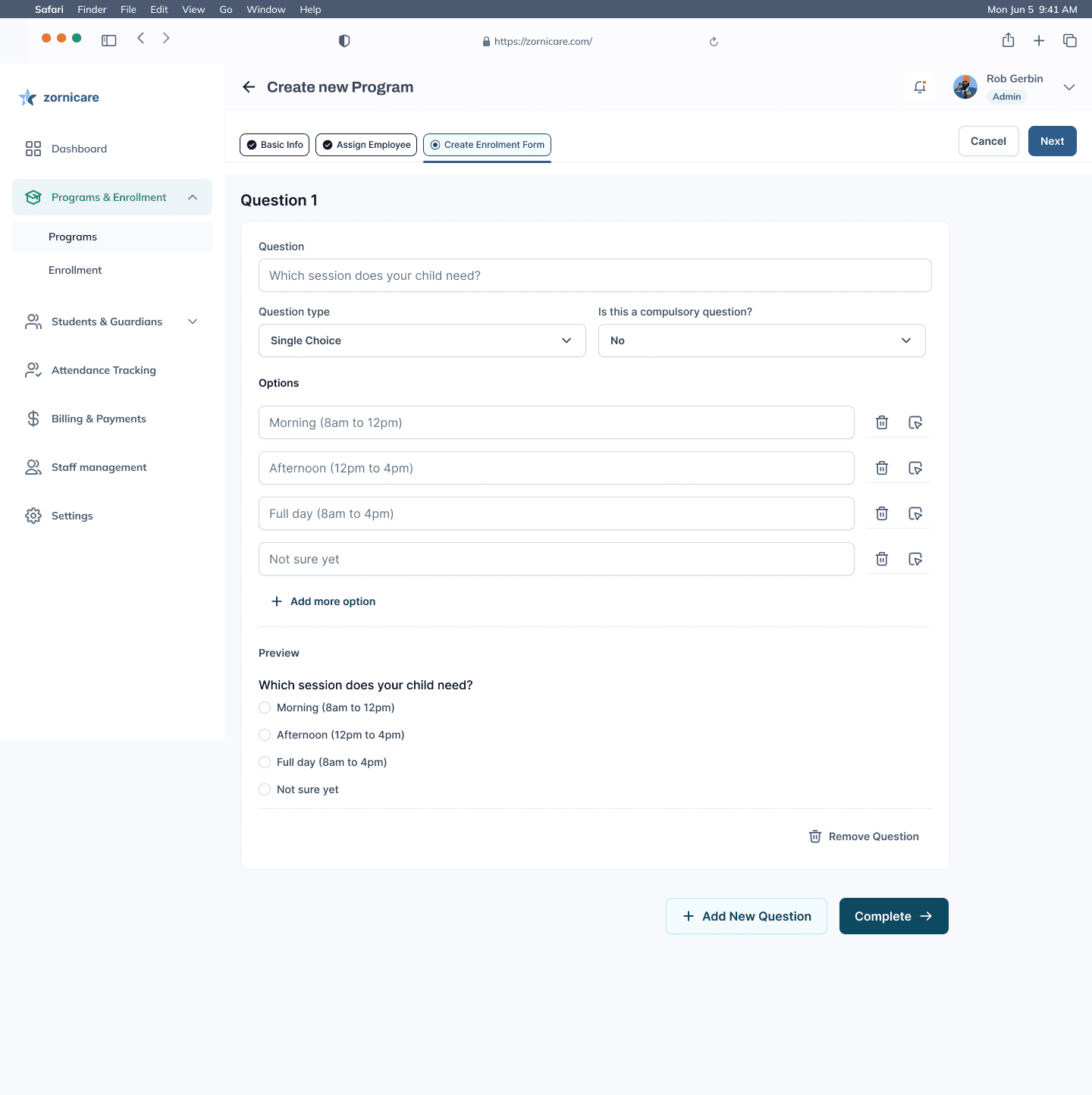
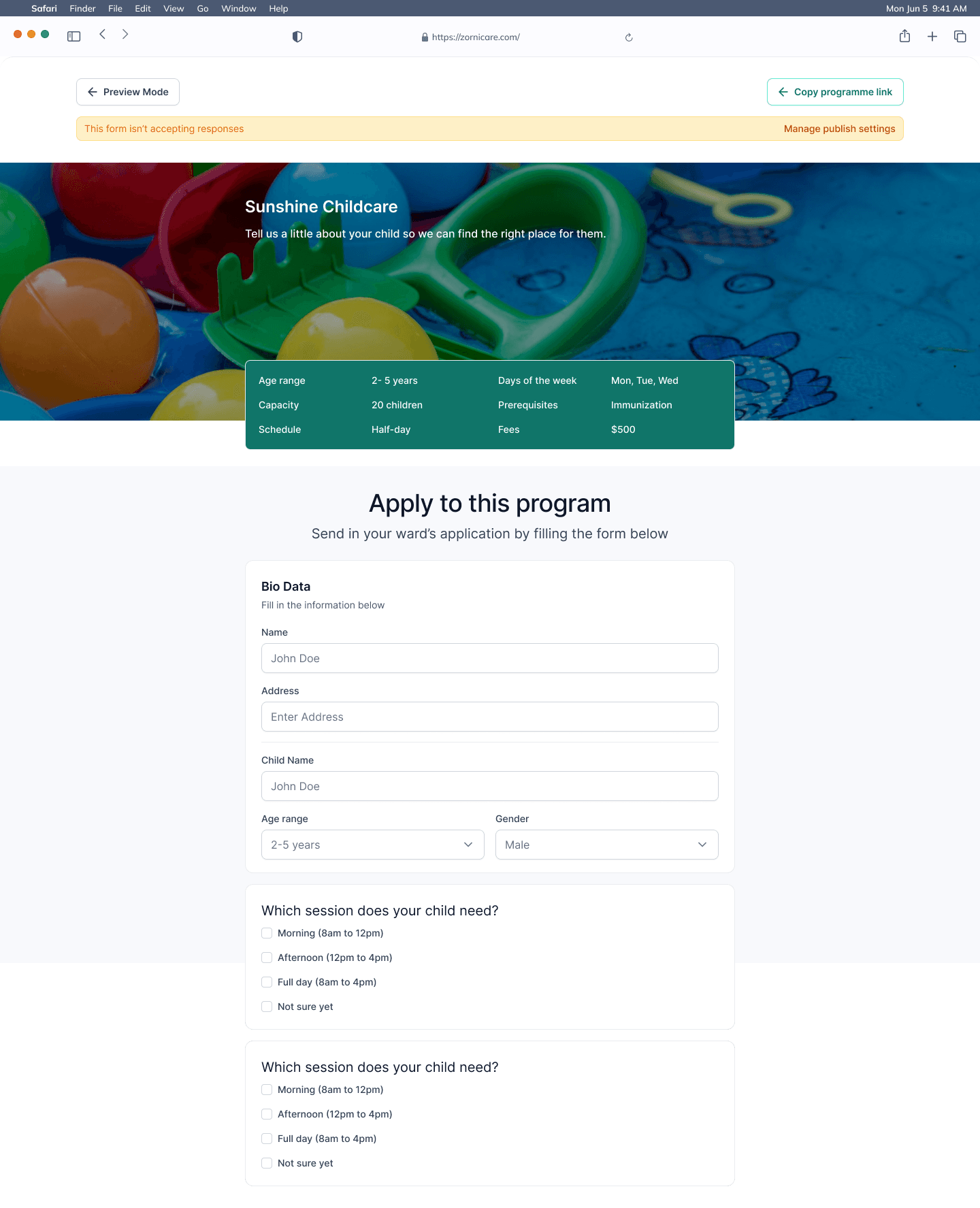
Create a program and its enrolment form · 1/6 Programs. Next: Next button
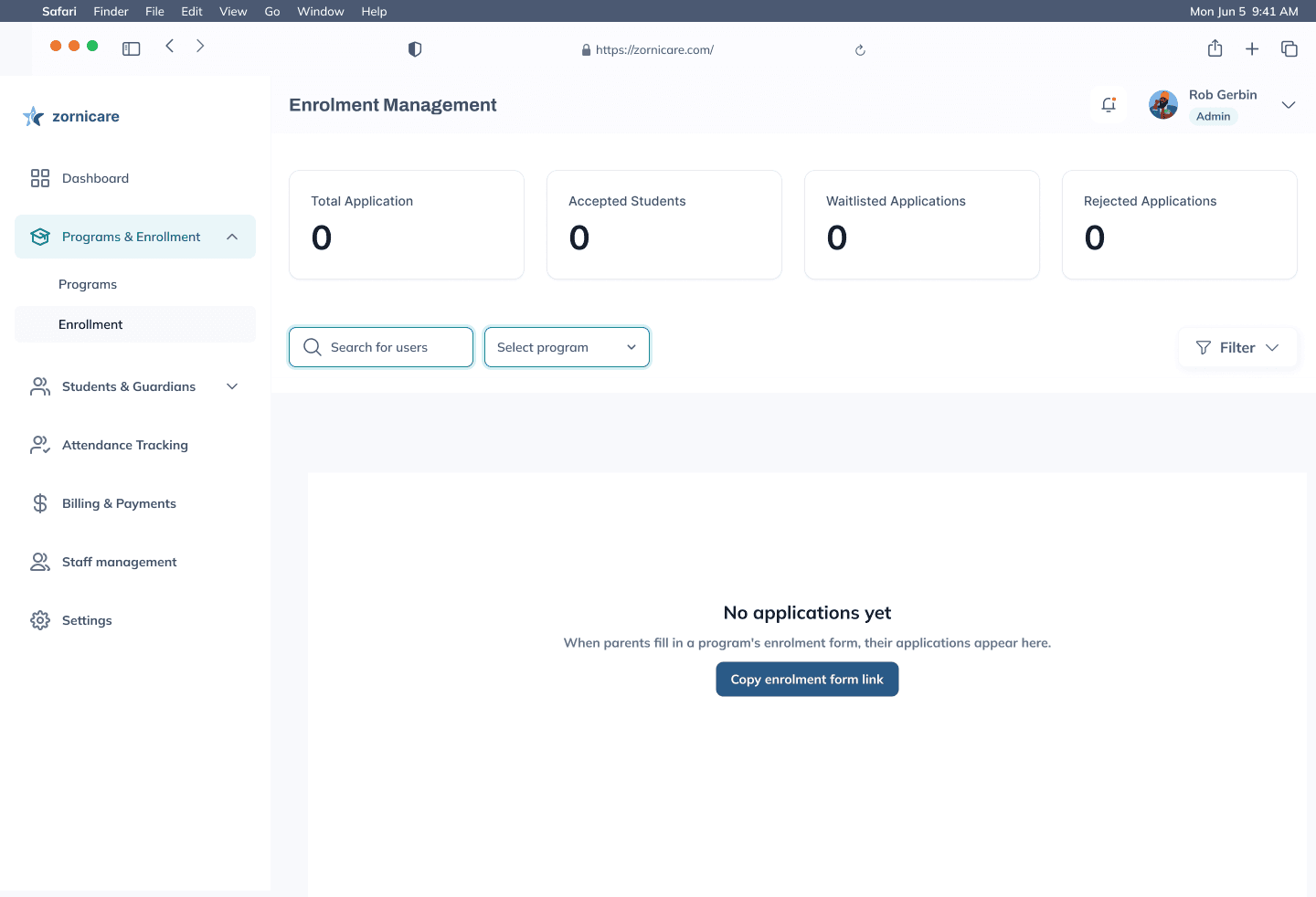
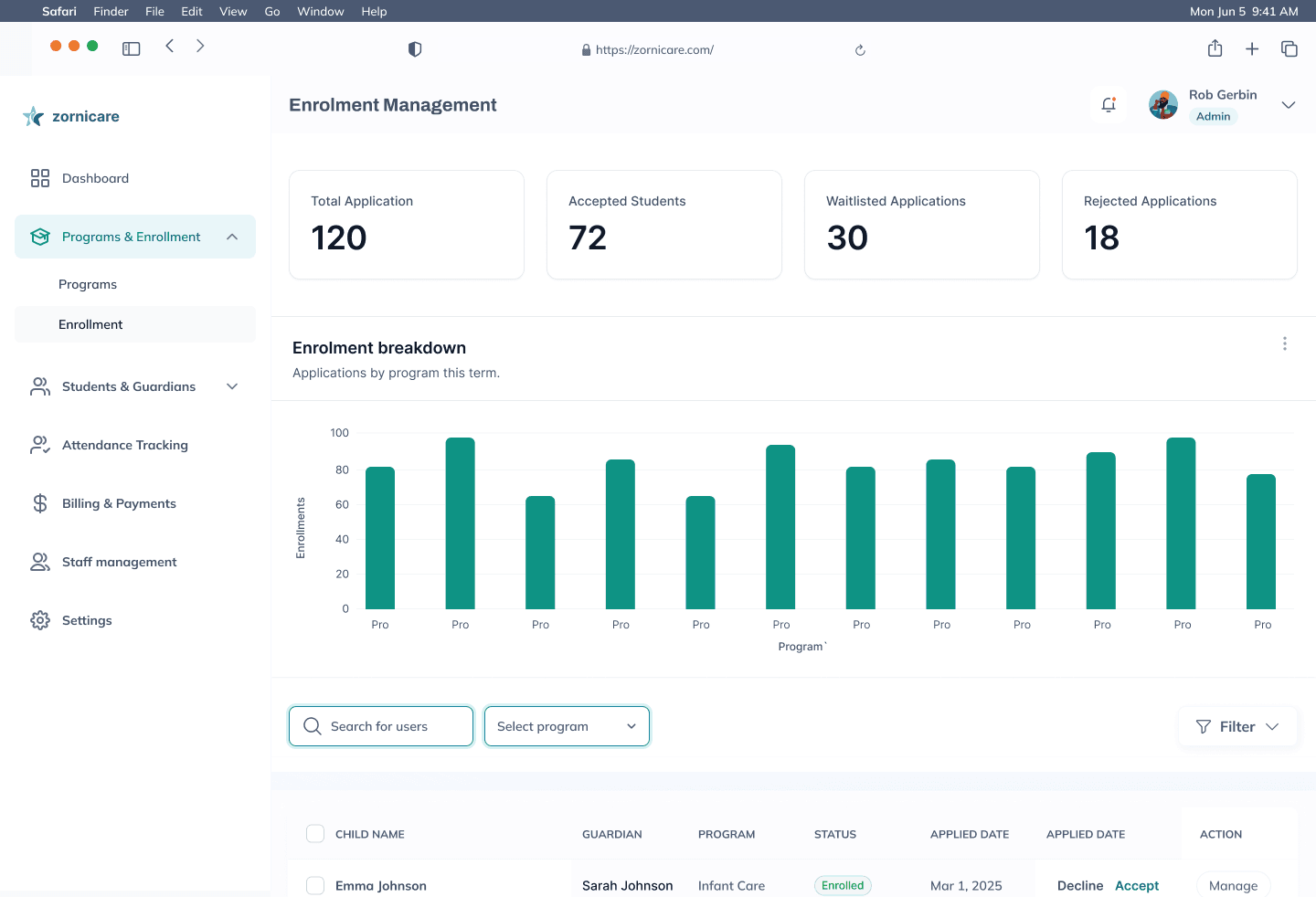
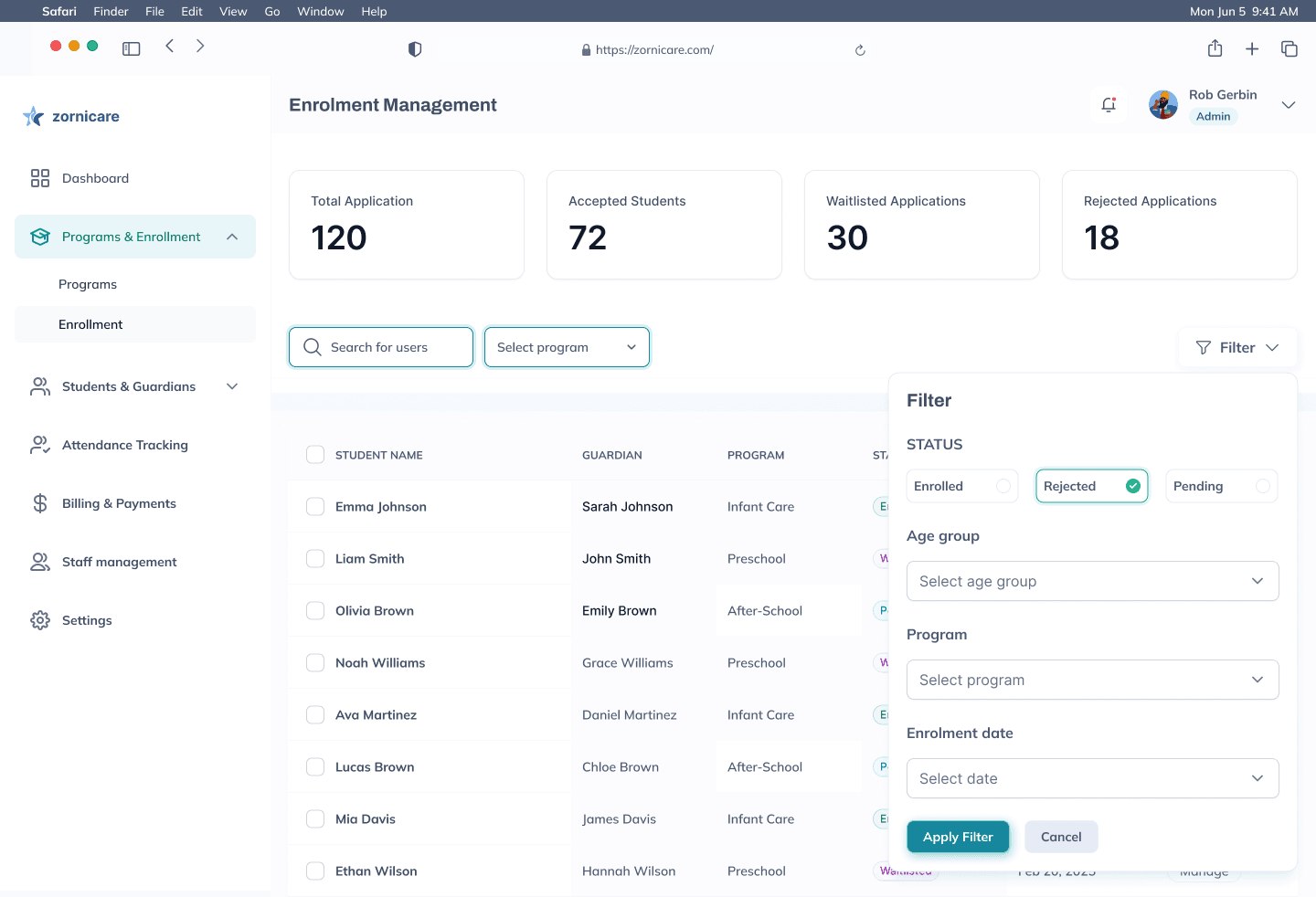
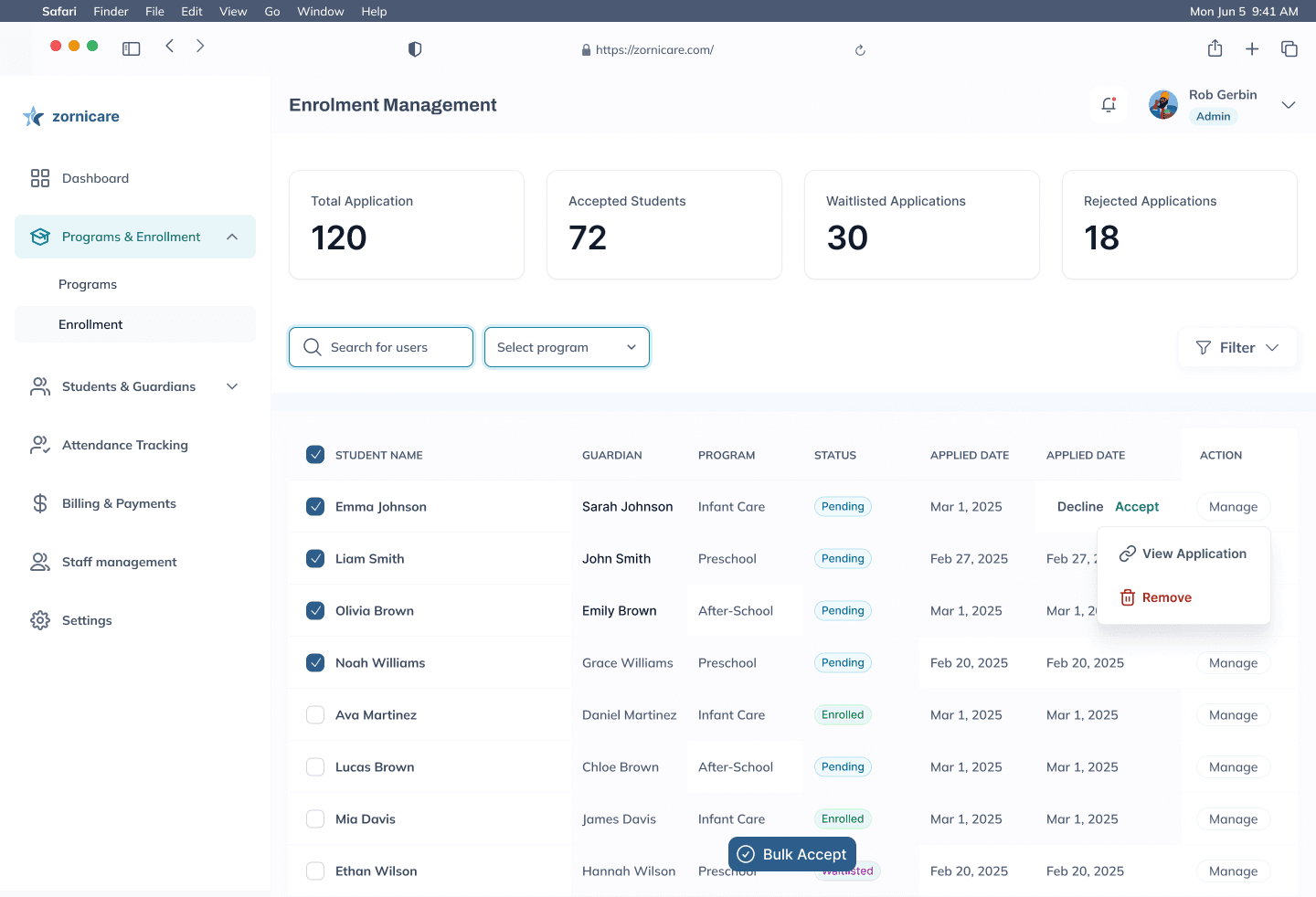
Review enrolments · 1/4 Before the first application
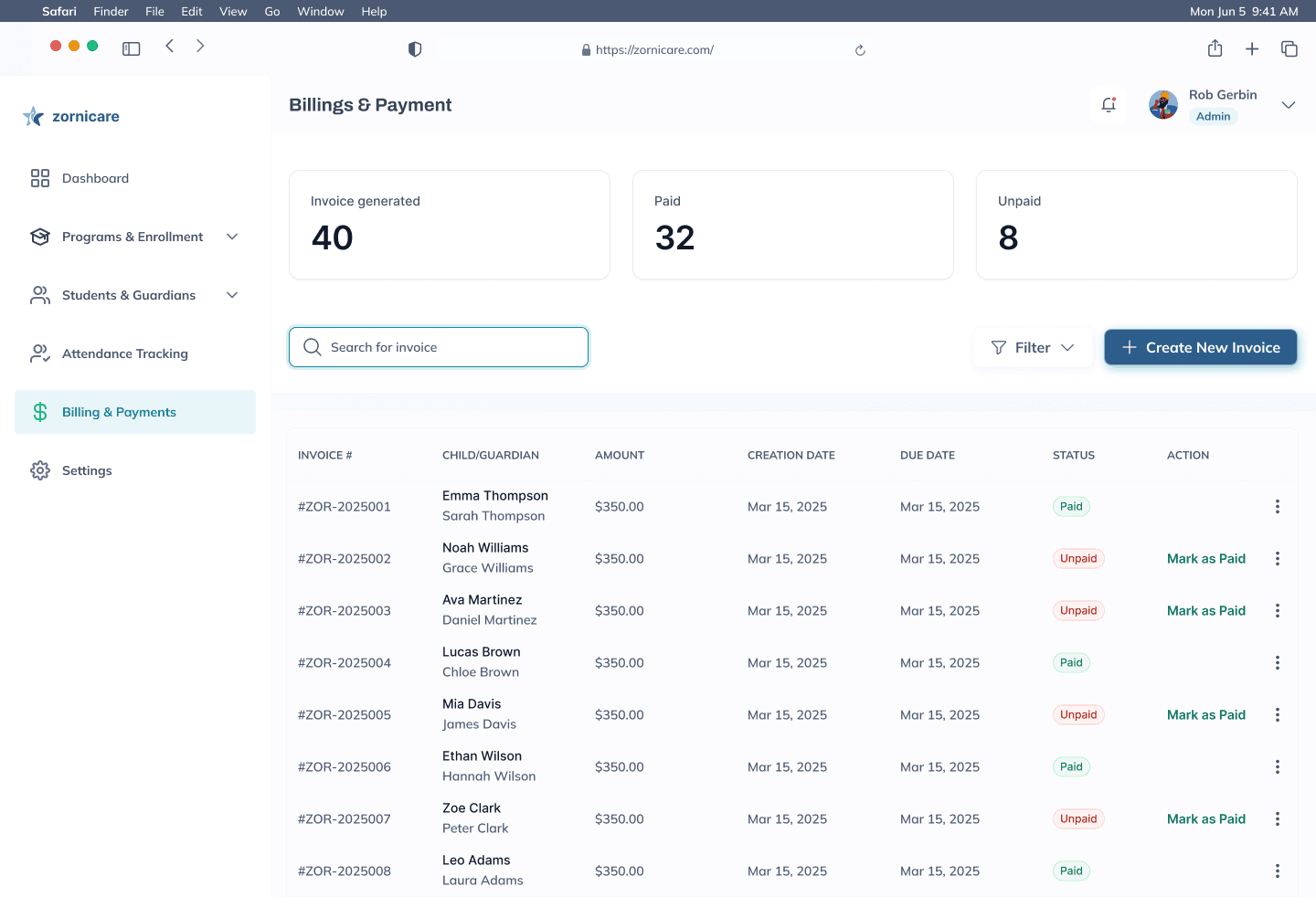
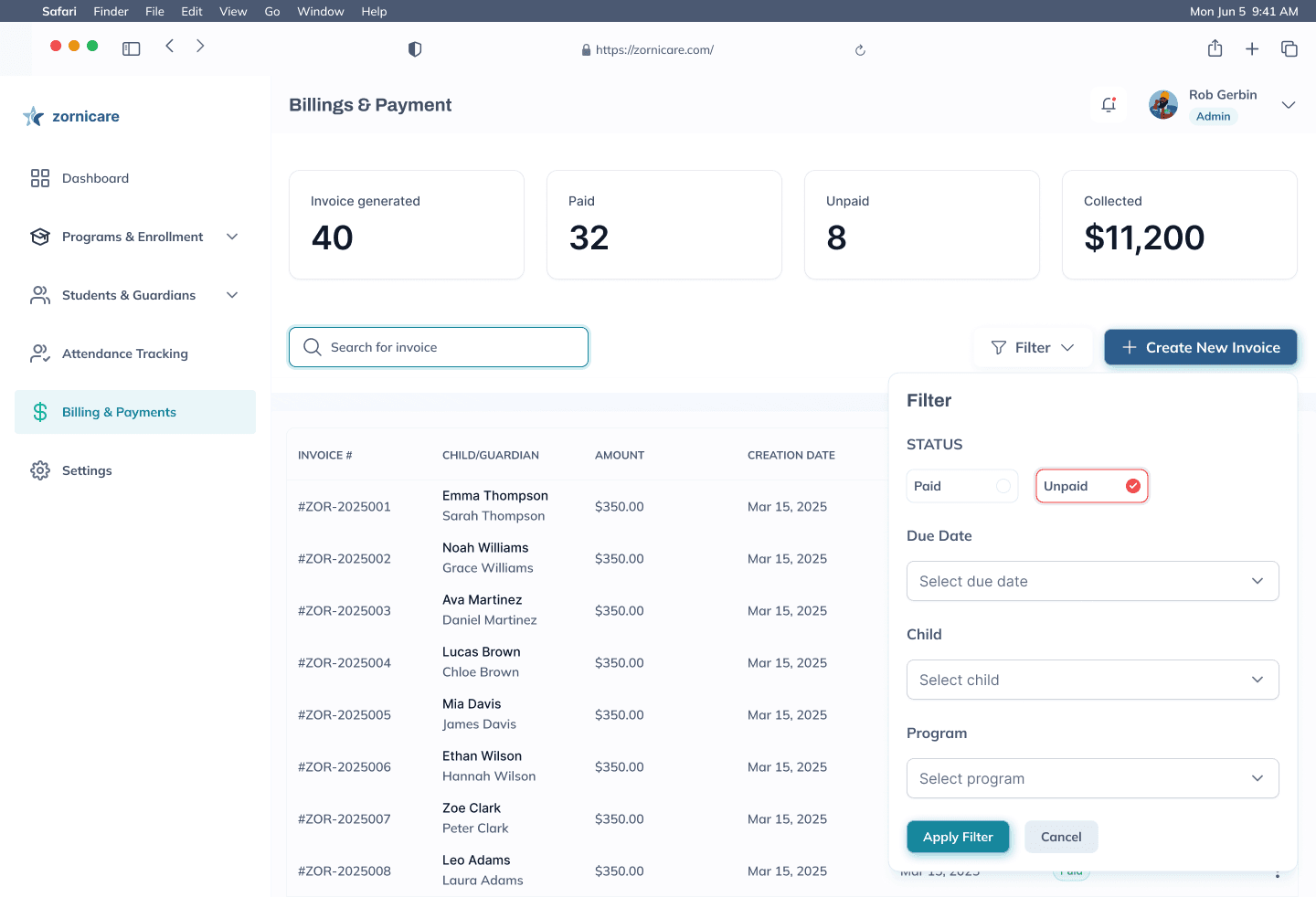
Billing · 1/2 Invoices, paid and unpaid. Next: Filter button
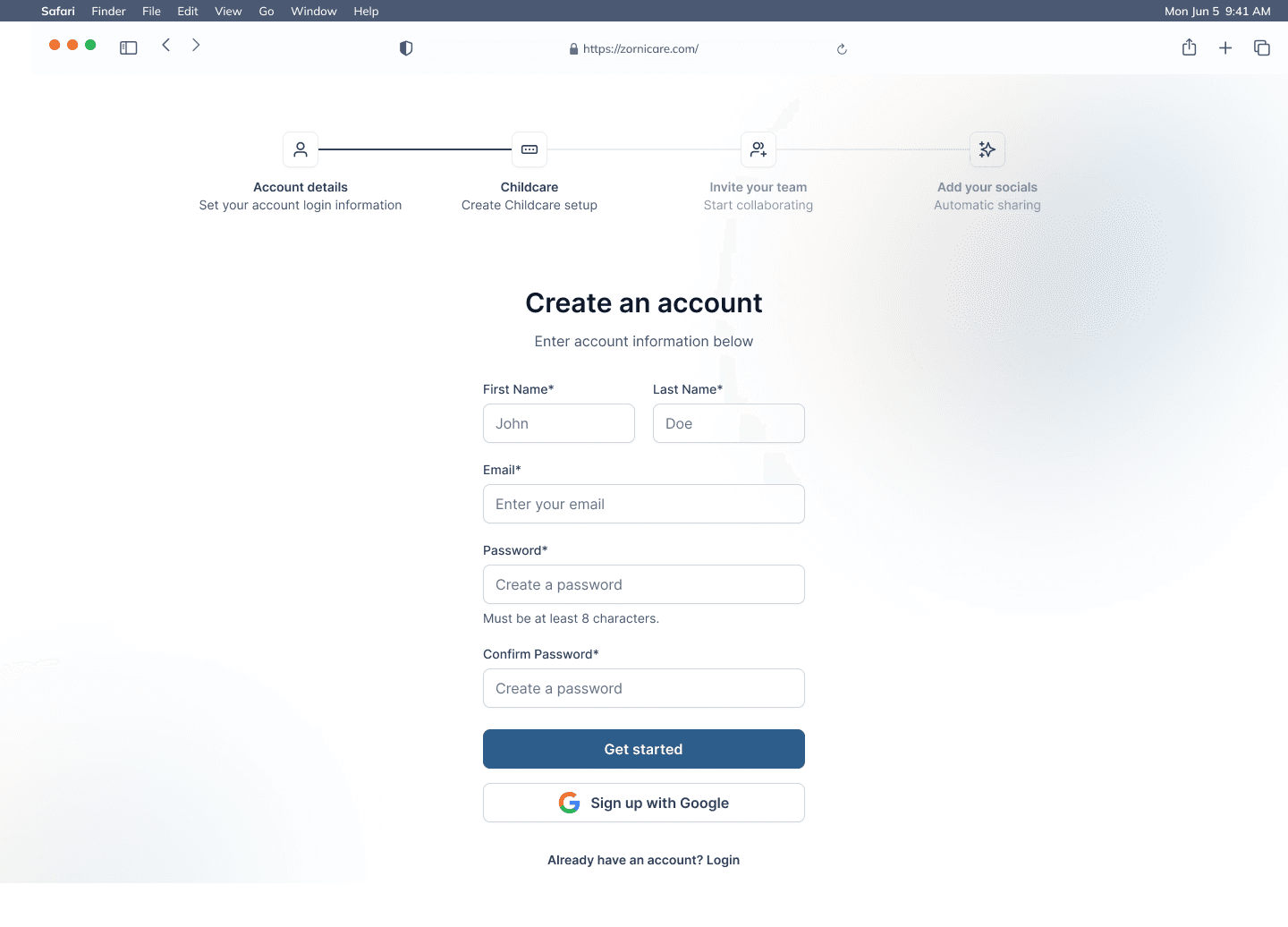
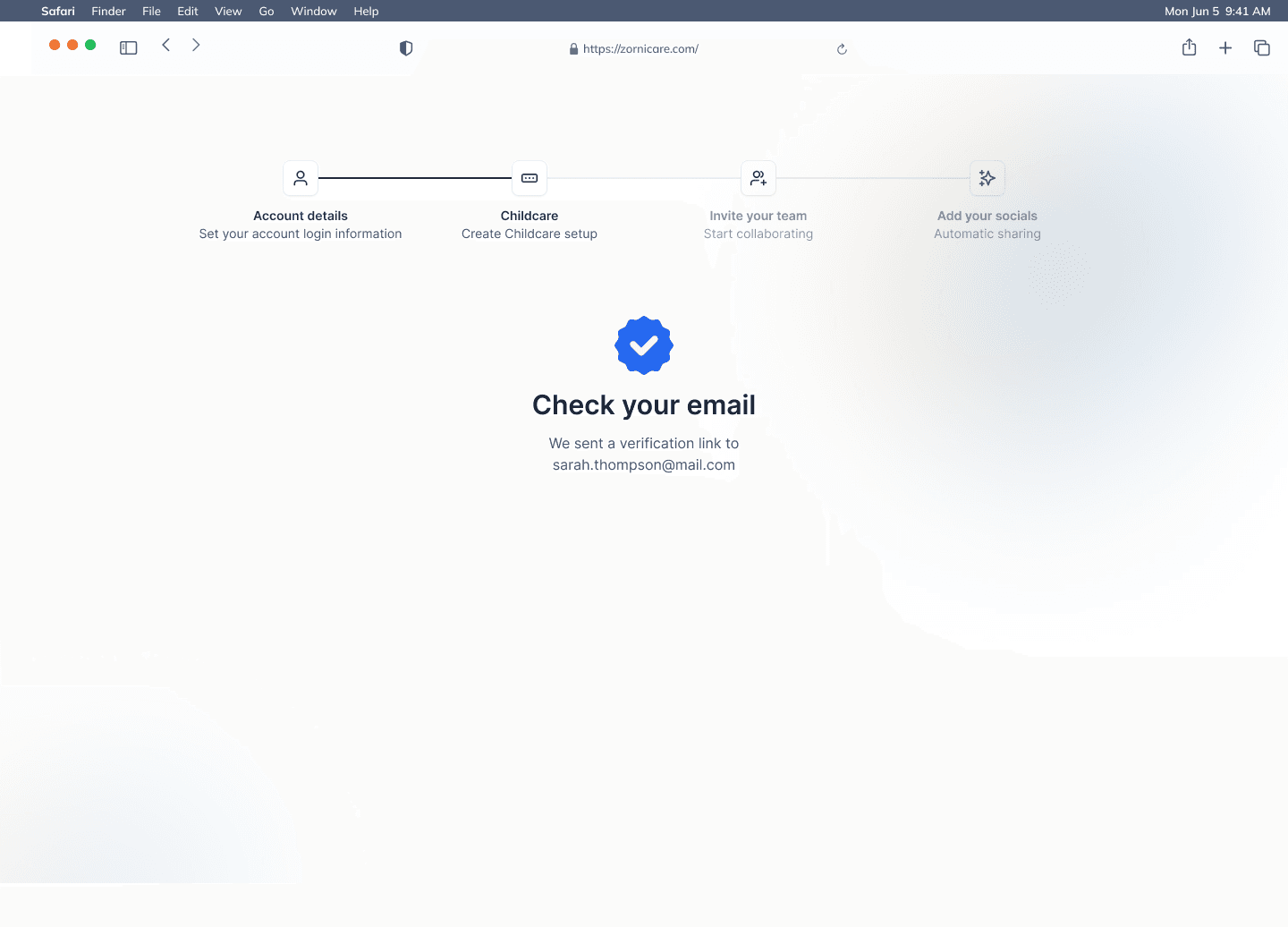
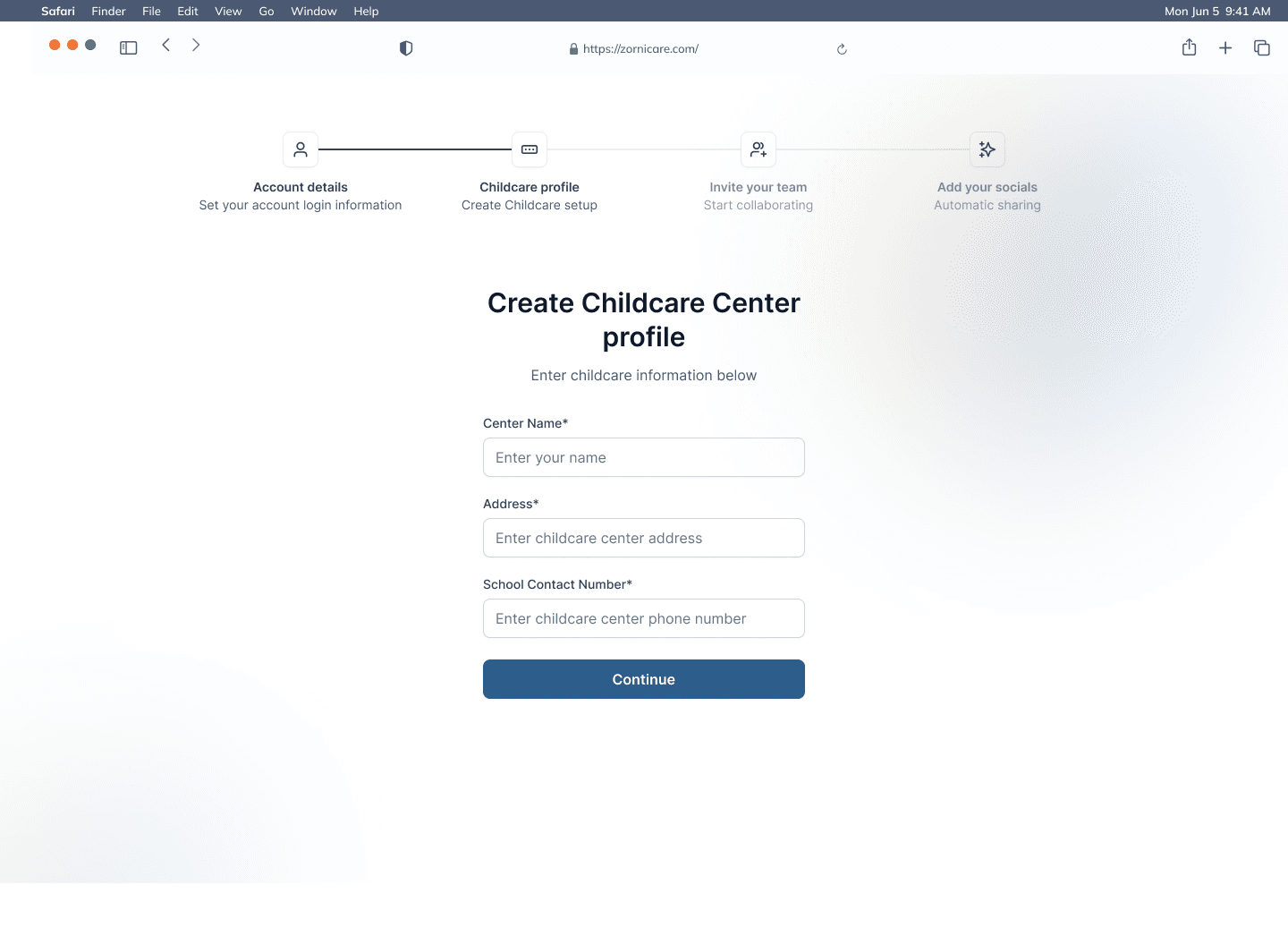
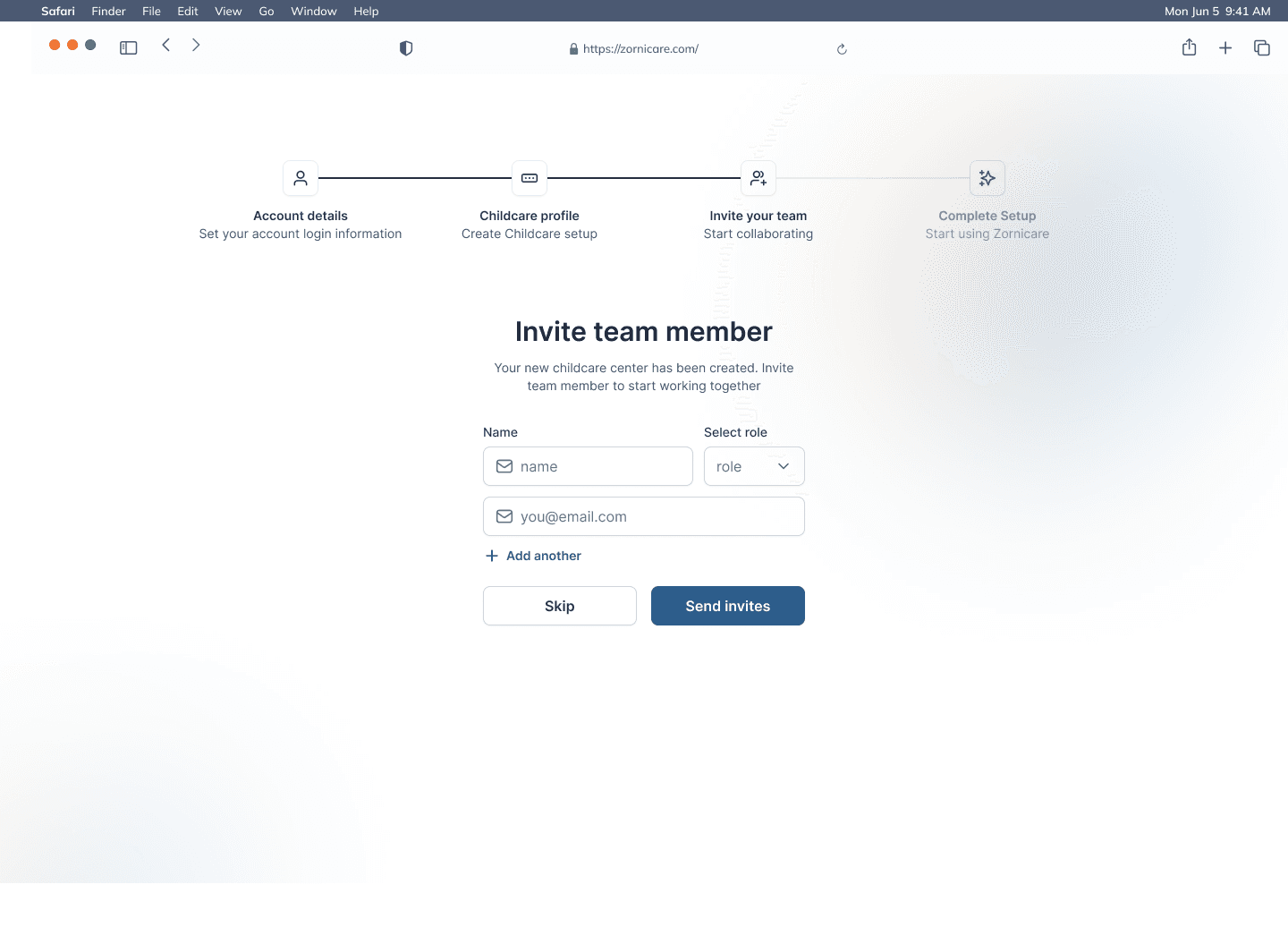
Set up a centre · 1/4 Create an account. Next: Get started button
Where it stands
In under a month I designed the staff web app and the parent mobile app as one system: centre setup, programs and enrolment, child profiles, attendance, daily reports, billing, and the parent's view of the day. I handed the designs to the client's developers to build.
What I would do differently: ask the client to introduce us to one of their centres, so we could interview the staff and parents who would use it every day instead of working only from the client's brief.
Let's talk
Want something like Zornicare for your business? Book a free strategy call and leave with a clear next step.